
Introduction
Finding a government job in Limpopo is now much easier thanks to the Limpopo e-Recruitment Portal. Instead of printing documents, travelling to government offices, or posting applications, you can complete the entire process online from your computer or smartphone.
The portal allows eligible applicants to apply for:
- Government vacancies
- Internship programmes
- Learnerships
- EPWP (Expanded Public Works Programme) opportunities
- Graduate development programmes
Whether you have just completed matric, recently graduated, or are an experienced professional looking for new opportunities, this guide explains everything you need to know in simple English.
Who This Guide Is For
This guide is ideal for:
- South African citizens looking for government jobs in Limpopo
- Matric graduates
- University and TVET graduates
- Internship applicants
- Learnership applicants
- EPWP job seekers
- Professionals applying for permanent government positions
- First-time users of the Limpopo e-Recruitment Portal
Requirements
Before creating your account, make sure you have the following documents ready.
Required Documents
- Certified copy of your South African ID (not older than six months)
- Certified copies of qualifications (Matric, diploma, degree, certificates)
- Updated and comprehensive CV
- Proof of residence (especially for EPWP and local recruitment)
Additional Documents (If Applicable)
- Driver’s licence
- Disability confirmation letter
- SAQA evaluation certificate (for foreign qualifications)
Tip: Save all documents as PDF files before uploading them.
Step-by-Step Guide
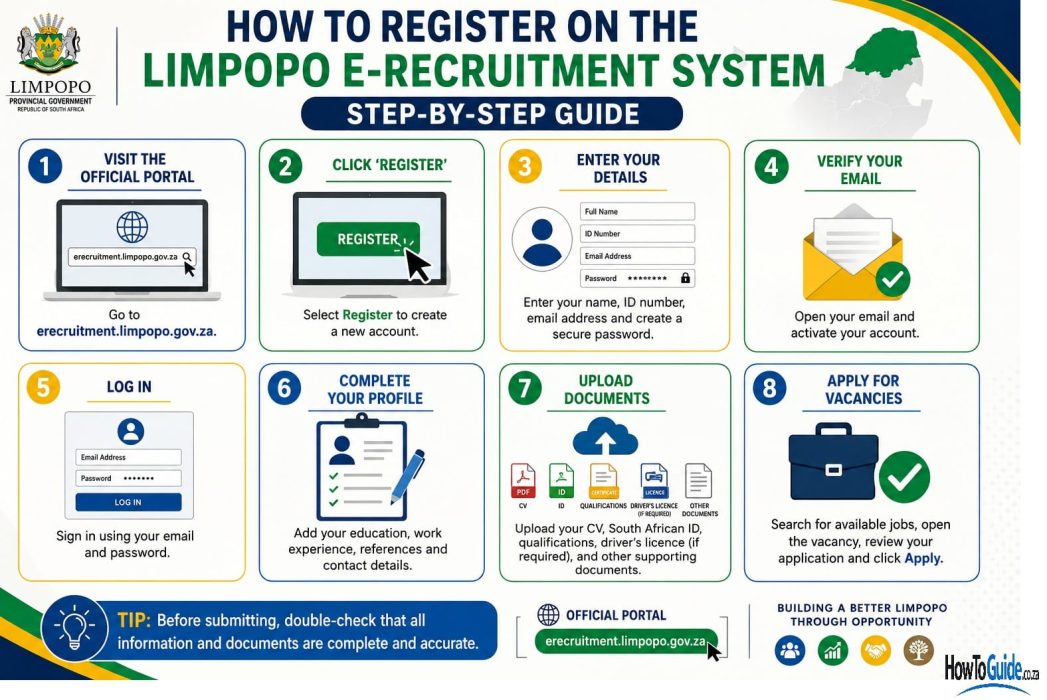
Step 1: Visit the Official Portal
Open your browser and visit the official Limpopo e-Recruitment Portal.
Use only the official website to avoid scams.
Step 2: Register Your Account
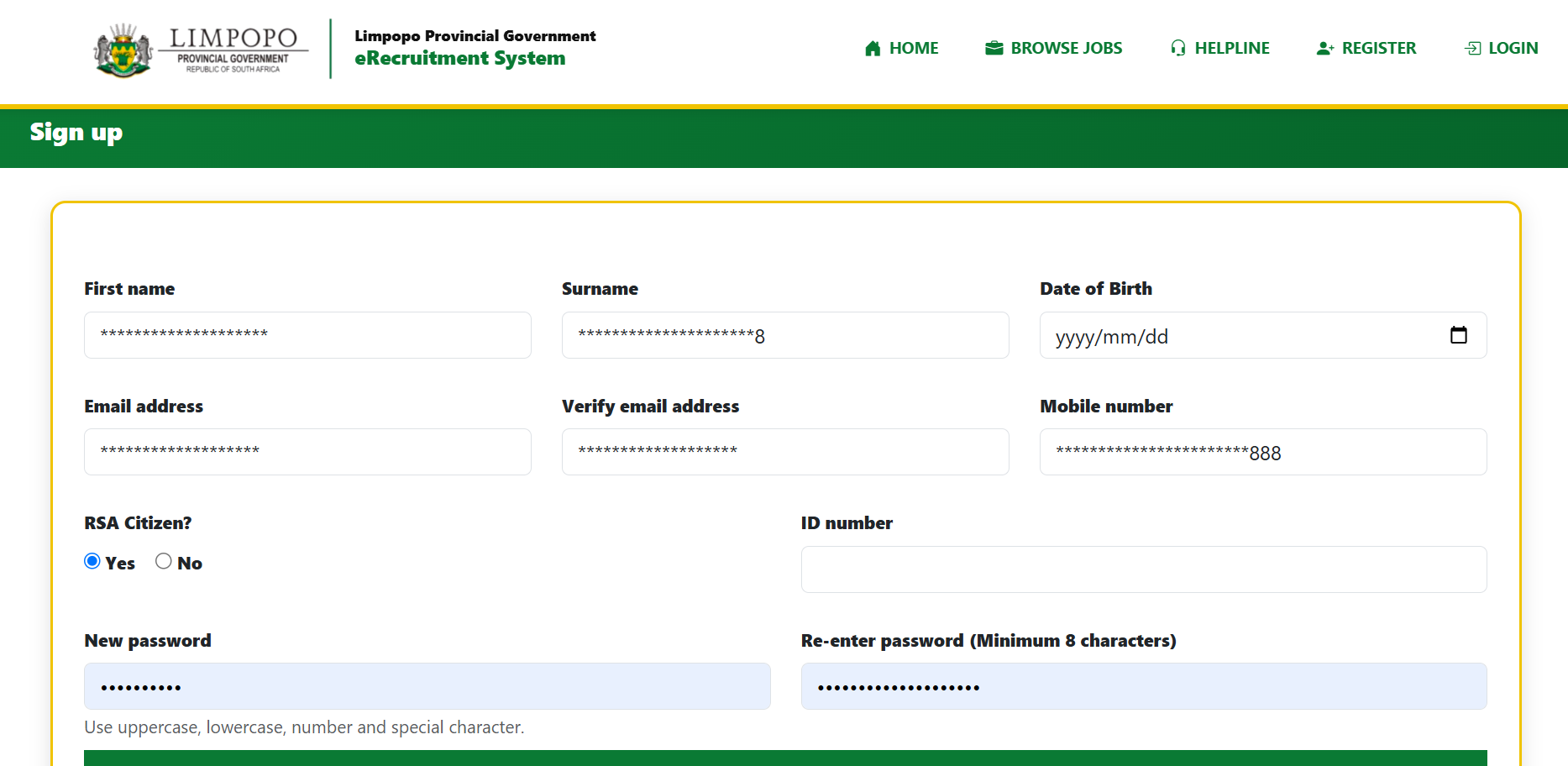
Click Register or Create New Profile.
Provide your:
- Full names
- South African ID number
- Email address
- Cellphone number
- Password
Once completed:
- Submit the registration.
- Enter the OTP sent to your email or cellphone.
- Verify your account.
Step 3: Complete Your Profile
After logging in, complete your profile carefully.
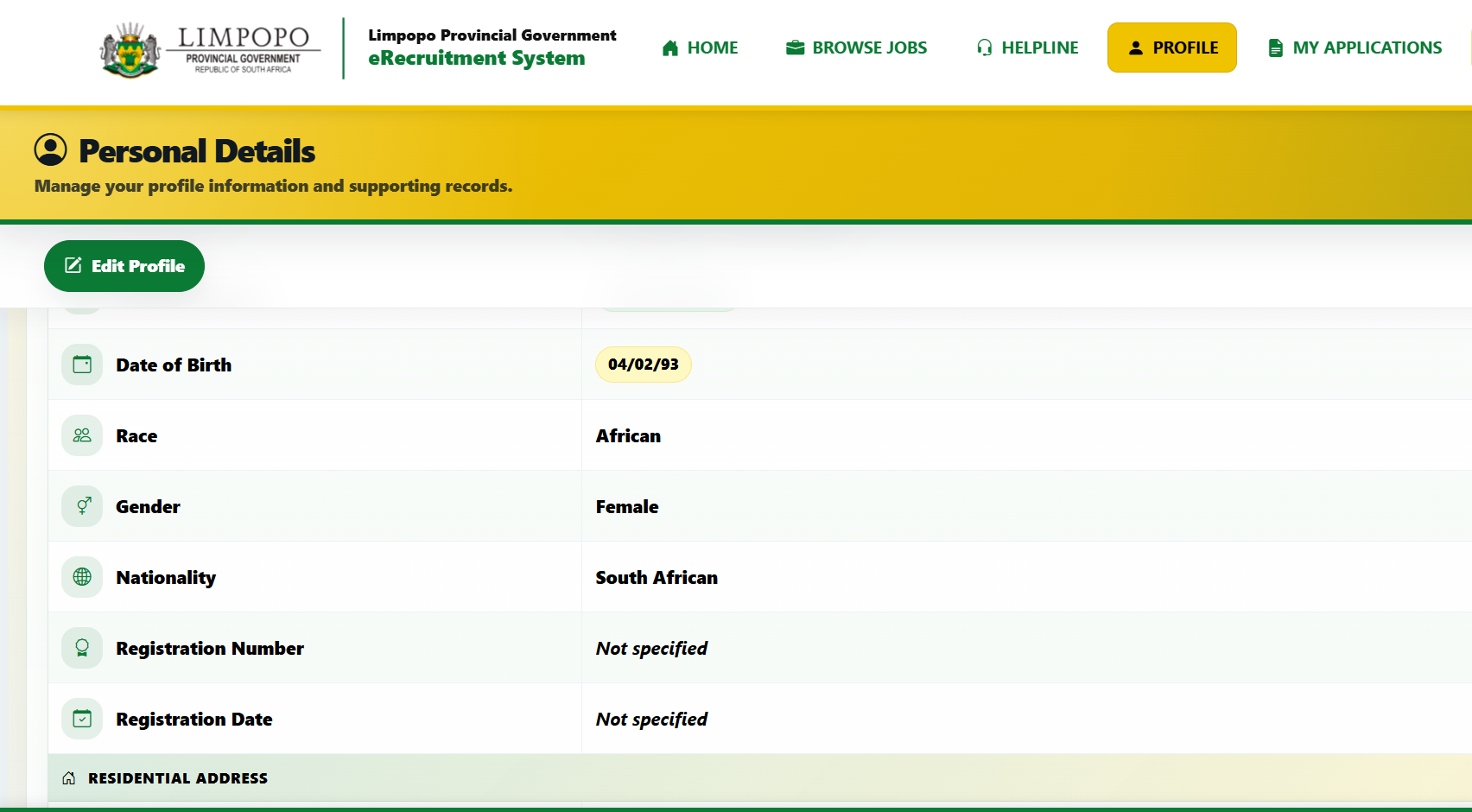
Include:
- Personal information
- Residential address
- Educational history
- Employment history
- Skills
- Languages
Every section should be completed accurately.
Step 4: Upload Supporting Documents
Upload:
- Updated CV
- Certified ID
- Certified qualifications
- Supporting documents
Ensure every document:
- Is clear
- Is readable
- Is correctly named
- Is uploaded in PDF format
Step 5: Search for Vacancies
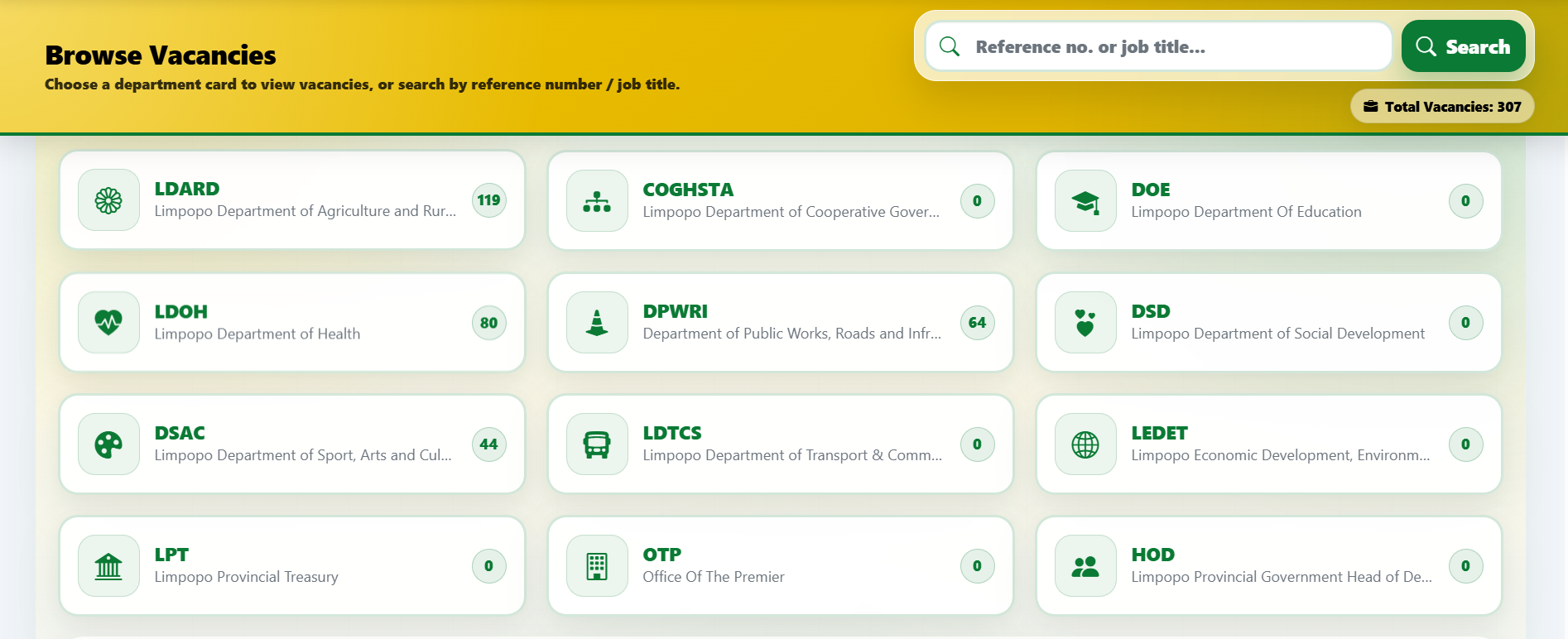
Use the search filters to find suitable opportunities.
Search by:
- Government department
- Job category
- Location
- Internship
- Learnership
- Permanent posts
Read every advertisement carefully.
Step 6: Apply
When you find a suitable vacancy:

- Open the advert.
- Read all requirements.
- Confirm you qualify.
- Click Apply.
- Submit your application.
After submission, save your:
- Reference number
- Confirmation email
My Experience and Practical Insights
Having used the Limpopo e-Recruitment system and assisted others with registration, I have noticed that the portal is straightforward once your documents are prepared beforehand.
The biggest delays usually happen because applicants try to register without having certified documents or an updated CV. Taking 20–30 minutes to prepare your files before registering makes the process much smoother.
Another useful tip is to complete your profile fully before vacancies are advertised. This allows you to apply much faster when new opportunities become available.
Common Mistakes to Avoid
Many applications are rejected because of avoidable errors.
Avoid these common mistakes:
- Uploading uncertified documents
- Using an outdated CV
- Forgetting to quote the vacancy reference number
- Leaving profile sections incomplete
- Using an incorrect email address or cellphone number
- Waiting until the closing date to apply
- Applying for jobs you do not meet the minimum requirements for
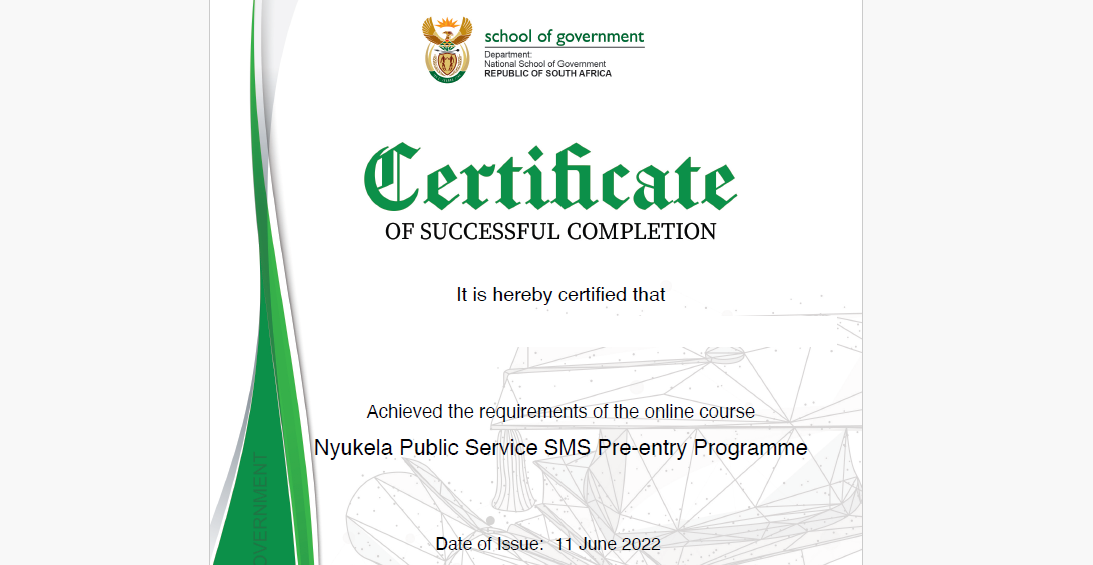
For Senior Management Service (Levels 9–14), remember that completing the Nyukela Pre-Entry Programme is mandatory before appointment.
Troubleshooting
I did not receive the OTP
- Check your spam folder.
- Confirm your email address and cellphone number.
- Request a new OTP.
I forgot my password
Use the Forgot Password option on the login page.
Documents won’t upload
Check that:
- They are PDF files.
- The file size meets portal requirements.
- The file is not password protected.
The website is slow
Government portals are often busiest near closing dates. Try again early in the morning or during off-peak hours.
My application disappeared
Log back into your profile and check your submitted applications section.
Helpful Tips and Best Practices
- Register before vacancies are advertised.
- Keep your CV updated.
- Check the portal regularly for new opportunities.
- Read every job advertisement carefully.
- Apply well before the closing date.
- Save your reference numbers.
- Keep certified documents ready.
- Update your contact details whenever they change.
These simple habits can greatly improve your chances of submitting a successful application.
Frequently Asked Questions
1. Is registration free?
Yes. Registration and job applications are completely free.
2. Can I apply for multiple vacancies?
Yes. You may apply for as many vacancies as you qualify for.
3. Can I register using my phone?
Yes. The portal is mobile-friendly.
4. What happens after I apply?
Only shortlisted candidates will be contacted for interviews and assessments.
5. What is the Z83 form?
Your online application serves as the electronic equivalent of the Z83 application process for vacancies advertised through the e-Recruitment portal.
6. Can I still submit a paper application?
Some departments may allow hand-delivered or posted applications where stated in the advert. Always follow the application instructions provided in each vacancy.
7. How long does feedback take?
If you have not been contacted within approximately three to four months after the closing date, your application was likely unsuccessful.
8. Do I need work experience?
Not always. Many internships, graduate programmes, learnerships and EPWP opportunities are designed for applicants with little or no experience.
9. What documents are compulsory?
Generally:
- Certified ID
- Certified qualifications
- Updated CV
Some vacancies may require additional documents.
10. Can I edit my profile later?
Yes. You should regularly update your qualifications, experience and contact details.
Official Resources and References
- Official Limpopo e-Recruitment Portal
- Limpopo Provincial Government
- Department of Public Service and Administration (DPSA)
- National School of Government (Nyukela Programme)
- South African Qualifications Authority (SAQA)
Always rely on official government sources when applying for public service jobs.
Conclusion
The Limpopo e-Recruitment Portal has simplified the way people apply for government jobs. By preparing your documents, completing your profile carefully, and following each vacancy’s instructions, you can apply quickly and confidently from anywhere.
Remember these key points:
- Register only on the official portal.
- Complete every section of your profile.
- Upload certified documents.
- Use an updated, comprehensive CV.
- Quote the correct vacancy reference number.
- Apply before the closing date.
- Keep checking the portal for new opportunities.
Government recruitment can be competitive, so don’t be discouraged if you’re not successful on your first attempt. Continue updating your profile and applying for vacancies that match your qualifications and experience.
Good luck with your job search.
Disclaimer
This guide is intended for informational purposes only and is not affiliated with the Limpopo Provincial Government or any government department. Although every effort has been made to ensure the information is accurate at the time of writing, recruitment procedures, eligibility requirements, and application processes may change. Always consult the official Limpopo e-Recruitment Portal and the relevant job advertisement for the latest and most accurate information before submitting your application.

.
About Pheto M
Pheto M is the founder and guide writer of HowToGuide.co.za, a practical information website created to help people find clear, useful and easy-to-understand guidance on everyday topics.
Pheto started HowToGuide.co.za after noticing a common problem: people often need help with important questions, applications, services and everyday decisions, but the information available online can be confusing, difficult to understand or scattered across different sources.
Pheto has experience and knowledge across several areas, including Business, Information Technology (IT), Education and Relationships. These areas have given her a practical understanding of different challenges people face in their personal, professional and everyday lives.
Today, she dedicates her time to researching, writing and updating practical guides designed to help readers understand information and take the right steps with greater confidence.
Her approach is simple: make complex information simple, confusing processes clear, and difficult situations easier to manage.
Through HowToGuide.co.za, Pheto aims to provide practical, accessible and helpful information that readers can use in their everyday lives.
Pheto values feedback from readers and is committed to continually improving the content on HowToGuide.co.za. If you have a question, suggestion, or would like to get in touch, you can email her at admin@howtoguide.co.za. She personally reviews reader feedback and aims to respond within 48 hours.
Limpopo Online Admission Status Check 2027: Step-by-Step (Grade R,1& 8)
September 2, 2026
Reading Time: 9 minutesApplications for Limpopo Online Admissions 2027 are officially closed. Learn how to log into the portal, track your child’s application progress, check placement status, and resolve common login issues.
ACTOM EHS Internship 2026: Requirements & Application Guide. Closed on 31 August 2026
August 9, 2026
Reading Time: 9 minutesLooking to start your career in Environmental, Health, and Safety (EHS)? Explore the ACTOM Power Transformers EHS Internship 2026 in Wadeville. Learn about qualification requirements, key responsibilities, necessary application documents, and step-by-step instructions on how to apply before the 31 August 2026 closing date.
How to Register for Gauteng School Admissions Grade 1 & Grade 8 Online (2027)
August 5, 2026
Reading Time: 5 minutesLearn how to register for Gauteng school admissions (Grade 1 & Grade 8) online for 2027. Step-by-step GDE portal guide, required documents, and practical tips.
How to Register for SACE Online in South Africa (2026): Complete Step-by-Step Guide
August 4, 2026
Reading Time: 6 minutesLearn how to register for SACE online in South Africa. Follow our 2026 step-by-step guide on eServices, required documents, fees, and application steps.
Limpopo Online Admissions 2027: How to Apply for Grade R,1 & 8 (Step-by-Step Guide): Closed 31 August 2026
July 26, 2026
Reading Time: 6 minutesA complete step-by-step guide on how to apply for public school placement using the Limpopo Department of Education Online Learner Admissions System (OLAS) for the 2027 school year. Learn about opening and closing dates, required documents, registration steps, and common mistakes to avoid.
UIF Graduate Internship Programme (2027-2029): How to Apply for 109 Internship Opportunities. Closed
July 25, 2026
Reading Time: 4 minutesApply for the UIF Graduate Internship Programme 2026 (109 Posts). Earn an R8,174.75 monthly stipend. Get application emails, Z83 details, and step-by-step instructions before 7 August 2026.
How to Negotiate a Higher Salary in 2026: A Step-by-Step Guide
July 21, 2026
Reading Time: 5 minutesFeel like your hard work and loyalty are going unrewarded? Discover 5 step-by-step strategies to research your market value, prepare a convincing pitch, and negotiate a higher salary or better benefits package with confidence in 2026.
ATNS Graduate in Training Programme 2026 (24-Month Paid Internship): Closed
July 15, 2026
Reading Time: 5 minutesApply for the ATNS Graduate in Training Programme 2026. Discover 24-month paid graduate opportunities in Business, Logistics, Aviation Security, Information Management, and OHS based in Johannesburg. Closing date: 28 July 2026
Seriti Engineering Learnership 2026 (NVC071/26GS): Apply Online:Closed
July 13, 2026
Reading Time: 5 minutesWant to launch your engineering career in the mining sector? Apply for the Seriti Engineering Learnership 2026 (Reference: NVC071/26GS) at New Vaal Colliery. Discover the minimum N2/Grade 12 requirements, available trades (Diesel Mechanic & Auto Electrician), and follow our step-by-step application guide before the closing date on 21 July 2026.