
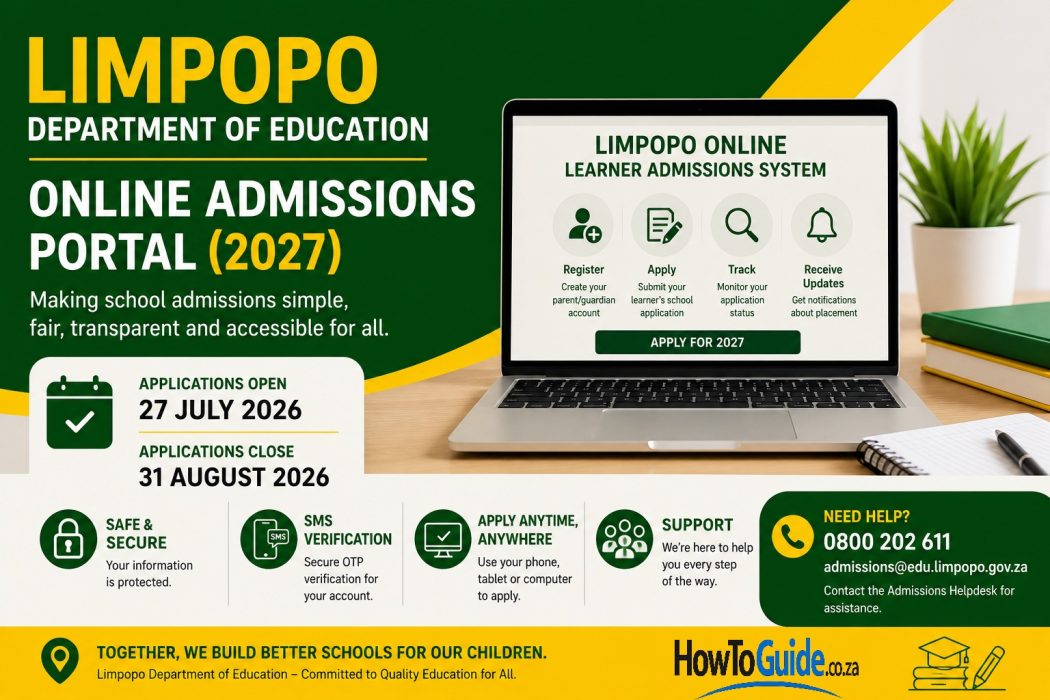
Limpopo Online Admissions 2027 at a Glance
| Information | Details |
|---|---|
| Application Period | 27 July 2026 – 31 August 2026 (Closed) |
| Application Fee | Free |
| Admissions System | Online Learner Admissions System (OLAS) |
| Official Portal | https://admissions.edu.limpopo.gov.za |
| Who Can Apply | Parents and guardians applying to public schools in Limpopo |
| Devices Supported | Smartphone, tablet, laptop or desktop |
| SMS Verification | Yes |
| Application Tracking | Available online |
| Helpdesk | 0800 202 611 |
| admissions@edu.limpopo.gov.za |
1. Introduction
The Limpopo Department of Education introduced the Online Learner Admissions System (OLAS) to improve how parents apply for learner placement in public schools. Instead of relying solely on manual applications, parents can now register online, capture learner details, choose preferred schools, and monitor their applications throughout the admissions process.
The system aims to make school admissions more efficient, transparent, and accessible while reducing long queues and paperwork. Applying online also allows parents to keep track of their applications without repeatedly visiting schools.
2. Who This Guide Is For
This guide is intended for:
- Parents enrolling a child in a Limpopo public school for the first time.
- Guardians responsible for learner admissions.
- South African citizens applying to public schools.
- Permanent residents.
- Undocumented South African citizens.
- Non-South African citizens with valid documentation.
- Parents applying for Grade R, Grade 1 and Grade 8.
Whether you are using the system for the first time or have previously applied online, this guide will help you understand the process.
3. Requirements
Before starting your application, prepare the following documents and information:
Parent or Guardian
- South African ID or passport
- Cellphone number capable of receiving SMS verification codes
- Residential address
- Email address (recommended but optional)
Learner
- Birth certificate
- Passport or permit (if applicable)
- Current school information (where applicable)
Supporting Documents
- Proof of residence
- Passport, asylum permit, work permit, or study permit for non-South African applicants
- Any additional documents requested by the selected school
Technical Requirements
- Internet connection
- Smartphone, tablet, laptop, or desktop computer
- Updated web browser
Preparing these documents before you begin will make the application process much smoother.
4. Step-by-Step Guide
Step 1: Visit the Official Admissions Portal
Open your preferred internet browser and visit:
https://admissions.edu.limpopo.gov.za
Click Register or Apply for 2027.
Step 2: Register as a Parent or Guardian
Create your account by entering:
- Full names
- South African ID or passport number
- Cellphone number
- Residential address
- Secure password
Read and accept the Terms and Conditions before continuing.
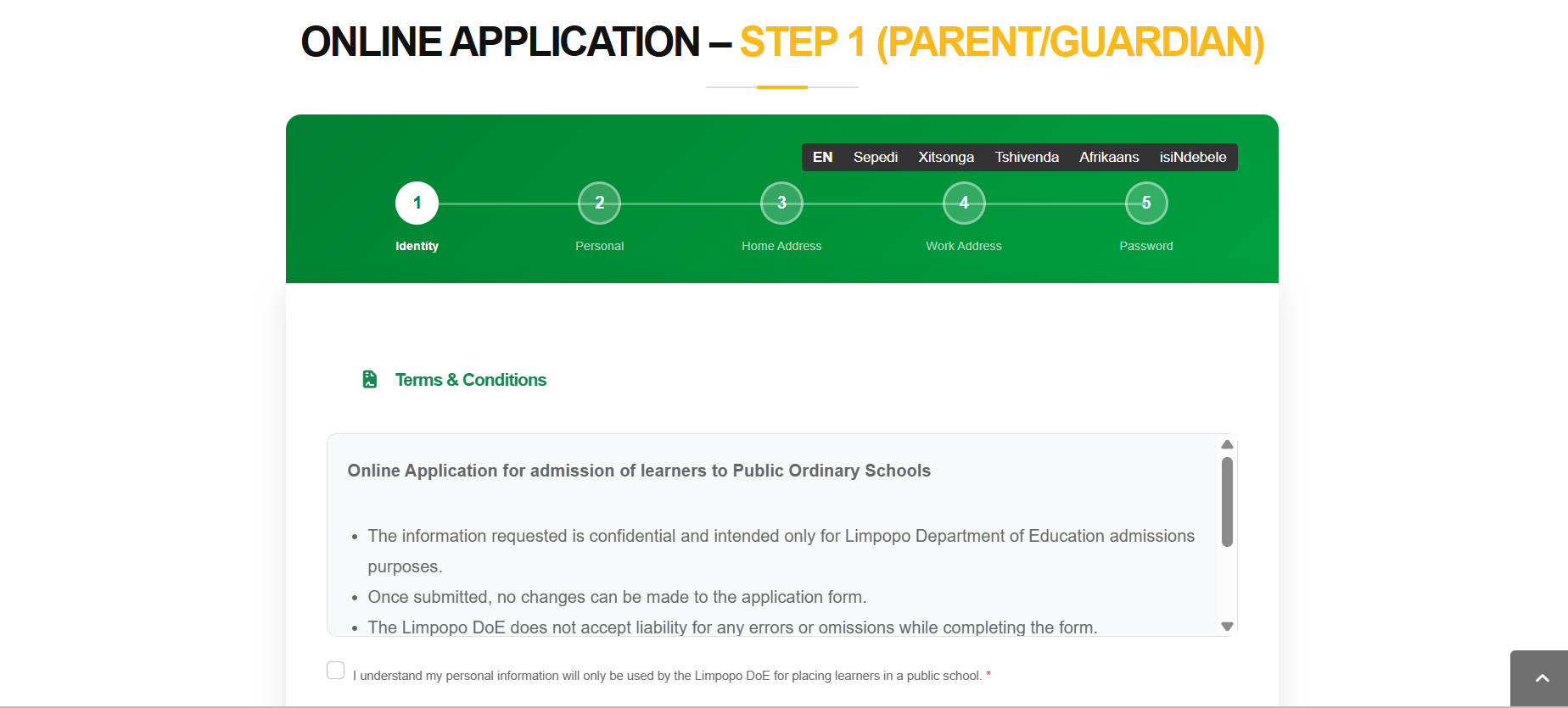
Step 3: Select the Correct Residency Status
Choose the category that applies to you:
- South African Citizen
- Permanent Resident
- Undocumented South African Citizen
- Non-South African Citizen
Selecting the correct category ensures the correct documentation is requested.
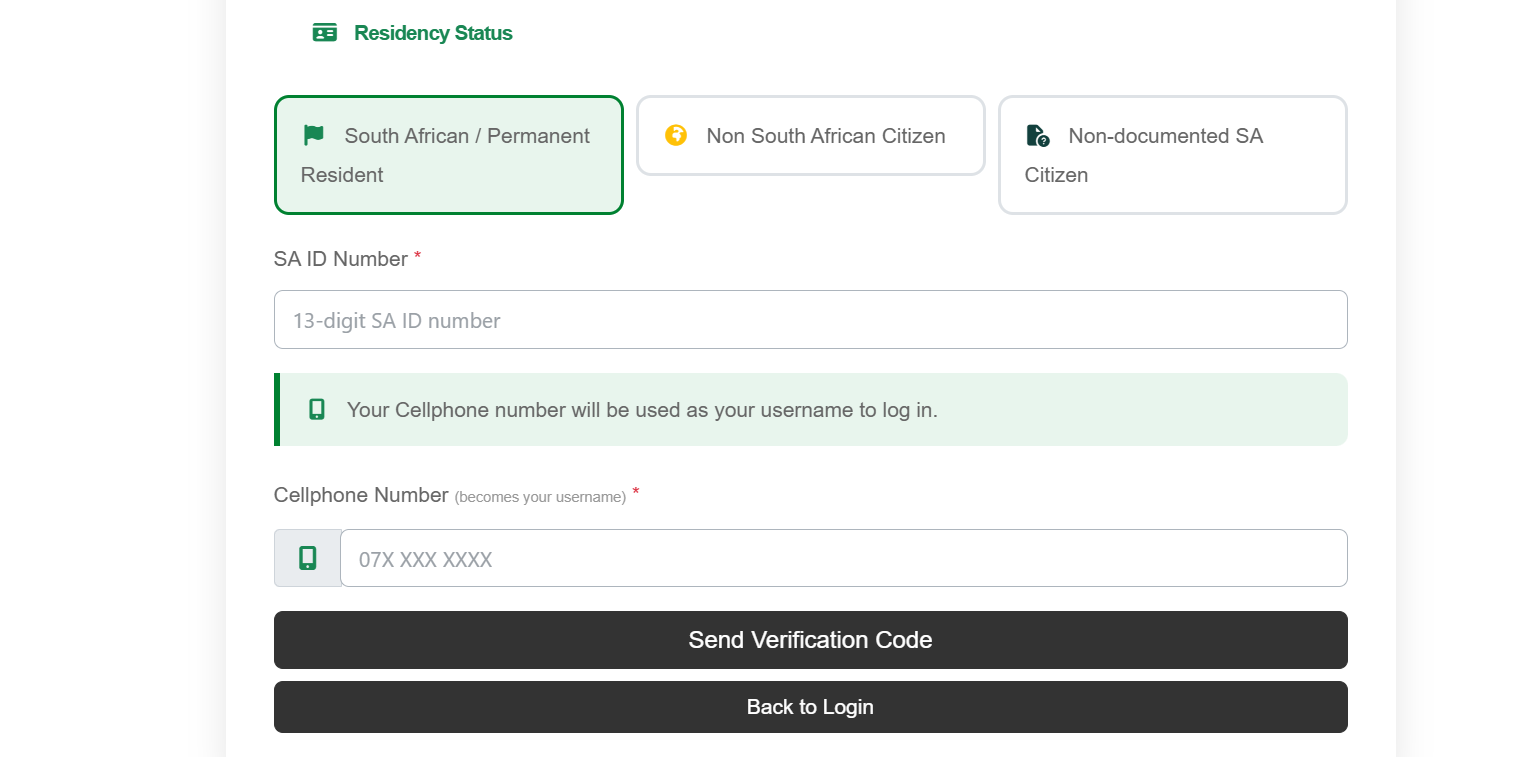
Step 4: Verify Your Cellphone Number
A six-digit One-Time Password (OTP) will be sent to your cellphone.
Enter the OTP to activate your account.
Your cellphone number becomes your username for future logins.
Step 5: Complete Your Parent or Guardian Profile
Provide:
- Residential address
- Work address (optional)
- Alternative contact number (optional)
- Email address (optional)
If applicable, add another parent or guardian.
Step 6: Register the Learner
Click Add Learner and enter:
- Full names
- Date of birth
- Gender
- Residency status
- Identification details
The system will generate a learner reference number.
Step 7: Select Your Preferred School
Choose:
- Education District
- Preferred school
- Current grade
- Grade applying for
Where possible, consider selecting more than one preferred school to increase placement options.
Review everything carefully before proceeding.
Step 8: Confirm the Learner’s Address
The learner’s address will automatically copy from the parent profile.
Update it if the learner lives elsewhere.
Step 9: Complete the Declaration
Read the declaration carefully.
Confirm that all information is correct before accepting the declaration.
Step 10: Submit Your Application
Click Submit Application.
The system will display:
- Application confirmation
- Learner reference number
Save or print this information for future reference.
Step 11: Track Your Application
Having personally used the Limpopo Online Admissions Portal, I can say firsthand that the system is quick user friendly, and very easy to navigate. To help you get through the process without any issues, here are few practial tips based on my experience:
- Apply as early as possible rather than waiting until the final week, when online systems may be busier.
- Double-check ID numbers, dates of birth, and cellphone numbers before submitting your application, as these are common sources of delays.
- Keep digital copies of all supporting documents ready before you begin.
- Write down or save your learner reference number immediately after submission.
- Log into your account regularly during the admissions period to monitor updates or respond promptly if additional information is requested.
6. Common Mistakes to Avoid
Avoid these common errors when completing your application.
Selecting the Wrong Residency Category
Always choose the correct residency status.
An incorrect selection can delay processing.
Incorrect Cellphone Number
Your cellphone number is used for:
- SMS verification
- Logging into the system
- Receiving updates
Ensure it is entered correctly.
Incorrect Personal Information
Check:
- Names
- ID numbers
- Passport numbers
- Dates of birth
They must match official documents.
Missing Supporting Documents
Prepare all required documentation before starting.
Waiting Until the Last Day
Applying early gives you time to correct mistakes if necessary.
Providing False Information
Supplying incorrect information may delay or affect your application.
7. Troubleshooting
If you experience problems while applying, try the following:
I didn’t receive the OTP
- Wait a few minutes and request a new code.
- Confirm that your cellphone number was entered correctly.
- Ensure your phone has network coverage.
I forgot my password
Use the Forgot Password option on the login page to reset your password.
The website is slow
This often happens during peak application periods. Try again later or apply during off-peak hours, such as early morning or evening.
I entered incorrect information
If changes are allowed during the application period, log into your account and update the information. If you cannot make changes, contact the admissions helpdesk for guidance.
I can’t find my application
Log in using the cellphone number you registered with. If the issue continues, contact the helpdesk and have your learner reference number available.
8. Helpful Tips and Best Practices
To make your application process easier:
- Apply as soon as the application window opens.
- Use a reliable internet connection.
- Keep scanned copies or clear photos of your documents.
- Save your learner reference number in more than one place.
- Check your SMS messages regularly for updates.
- Log into your account every few days to monitor your application.
- Carefully review all information before clicking Submit.
- Ensure your contact details remain active throughout the admissions process.
9. Frequently Asked Questions (FAQ)
1. When do Limpopo Online Admissions open?
Applications for the 2027 school year open on 27 July 2026.
2. When do applications close?
Applications close on 31 August 2026.
3. Is there an application fee?
No. The Limpopo Department of Education does not charge an application fee for online admissions.
4. Can I apply using my cellphone?
Yes. The portal is designed to work on smartphones, tablets, laptops, and desktop computers.
5. Can non-South African citizens apply?
Yes. Applicants must provide the appropriate passport or permit documentation where required.
6. Can I apply to more than one school?
The system allows parents to select preferred schools. Follow the current admissions guidelines when making your selections.
7. How do I track my application?
Log into your OLAS account and select My Applications to view the latest status updates.
8. Can I change my application after submitting it?
Changes may be possible while the application period remains open. Check the portal for available options or contact the admissions helpdesk if you need assistance.
9. What happens after I submit my application?
You will receive a confirmation and a learner reference number, which you should keep safe for future enquiries and tracking.
10. Where can I get help?
You can contact the Limpopo Department of Education Admissions Helpdesk using the official contact details below.
10. Official Resources and References
For the latest admissions information, use only official Limpopo Department of Education resources:
- Online Learner Admissions System (OLAS): https://admissions.edu.limpopo.gov.za
- Admissions Helpdesk: 0800 202 611
- Email: admissions@edu.limpopo.gov.za
- Limpopo Department of Education: https://www.edu.limpopo.gov.za
Always verify important dates, admission requirements, and announcements on the official website, as they may change.
11. Conclusion
The Limpopo Department of Education’s Online Learner Admissions System (OLAS) has made applying for public school placement simpler, faster, and more convenient for parents and guardians. By completing your application online, you can register your child, select preferred schools, and monitor the progress of your application without unnecessary travel or paperwork.
To improve your chances of a smooth application process, prepare all required documents in advance, enter accurate information, and apply well before the closing date of 31 August 2026. Keep your learner reference number safe, check your application status regularly, and rely only on official Limpopo Department of Education resources for updates and support. By planning ahead and following the steps in this guide, you can complete your child’s 2027 school admission application with confidence.
Disclaimer
This article is intended for informational purposes only. Admission dates, requirements, procedures, and supporting document requirements may change. Always refer to the official Limpopo Department of Education Online Learner Admissions System (OLAS) and the latest admissions notices for the most accurate and up-to-date information. The Limpopo Department of Education is solely responsible for learner admissions and placement decisions.

.
About Pheto M
Pheto M is the founder and guide writer of HowToGuide.co.za, a practical information website created to help people find clear, useful and easy-to-understand guidance on everyday topics.
Pheto started HowToGuide.co.za after noticing a common problem: people often need help with important questions, applications, services and everyday decisions, but the information available online can be confusing, difficult to understand or scattered across different sources.
Pheto has experience and knowledge across several areas, including Business, Information Technology (IT), Education and Relationships. These areas have given her a practical understanding of different challenges people face in their personal, professional and everyday lives.
Today, she dedicates her time to researching, writing and updating practical guides designed to help readers understand information and take the right steps with greater confidence.
Her approach is simple: make complex information simple, confusing processes clear, and difficult situations easier to manage.
Through HowToGuide.co.za, Pheto aims to provide practical, accessible and helpful information that readers can use in their everyday lives.
Pheto values feedback from readers and is committed to continually improving the content on HowToGuide.co.za. If you have a question, suggestion, or would like to get in touch, you can email her at admin@howtoguide.co.za. She personally reviews reader feedback and aims to respond within 48 hours.
No results found.
Very Informative
My password is invalid when I tried to login I press forgot password it show me to enter new password i press new password it says successful i tried to login and still the same it says invalid how is that possible
Hi Mahlaole, This could be a system error, please kindly contact the department for further assistance on 0800 202 611 or email them on admissions@edu.limpopo.gov.za