
Introduction
Checking your SASSA status is one of the most important things you can do as a grant applicant or beneficiary in South Africa. Whether you have applied for the R370 Social Relief of Distress (SRD) Grant, the Older Persons Grant, Disability Grant, Child Support Grant, or another social grant, regularly checking your application status helps you stay informed and avoid unnecessary delays.
Knowing your status allows you to see whether your application has been approved, declined, or is still being processed. It also helps you confirm your payment date, update your banking details if needed, and take action quickly if there is a problem with your application.
This guide explains everything you need to know about checking your SASSA status online in 2026 using the official methods provided by SASSA.
Who This Guide Is For
This guide is designed for:
- South Africans applying for the SRD R370 Grant.
- Existing SASSA beneficiaries.
- Older Persons Grant recipients.
- Disability Grant beneficiaries.
- Child Support Grant beneficiaries.
- Care Dependency Grant recipients.
- Foster Child Grant beneficiaries.
- People helping family members check their grant status.
- Anyone wanting to understand SASSA status messages.
Whether you are applying for the first time or have been receiving grants for years, this guide will help you understand the process.
Requirements
Before checking your SASSA status, make sure you have the following:
Essential Requirements
- Your 13-digit South African ID number.
- The cellphone number used during your SASSA application.
- Internet access (for online checks).
Optional
If you are not using the internet, you can also use:
- A mobile phone for USSD.
- WhatsApp.
- SMS.
- The SASSA toll-free number.
- Your nearest SASSA office.
Having the correct information available will help you avoid unnecessary delays.
Step-by-Step Guide
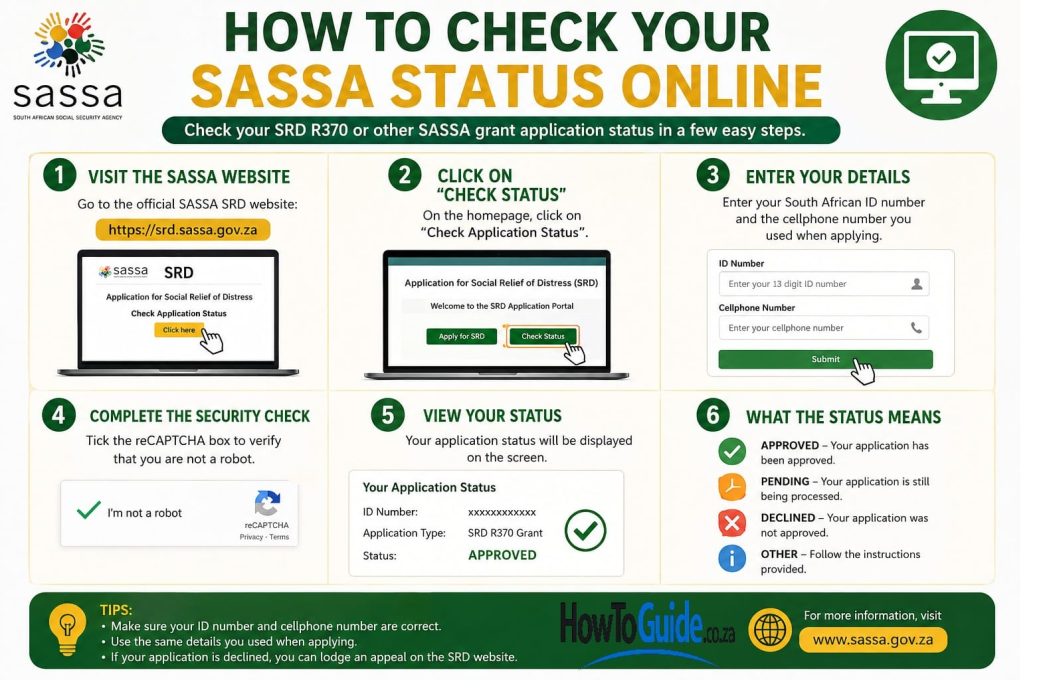
Step 1: Visit the Official SASSA Website
Go to the official SASSA SRD Status Check portal.
Only use official SASSA websites to avoid scams and protect your personal information.
Step 2: Enter Your Details
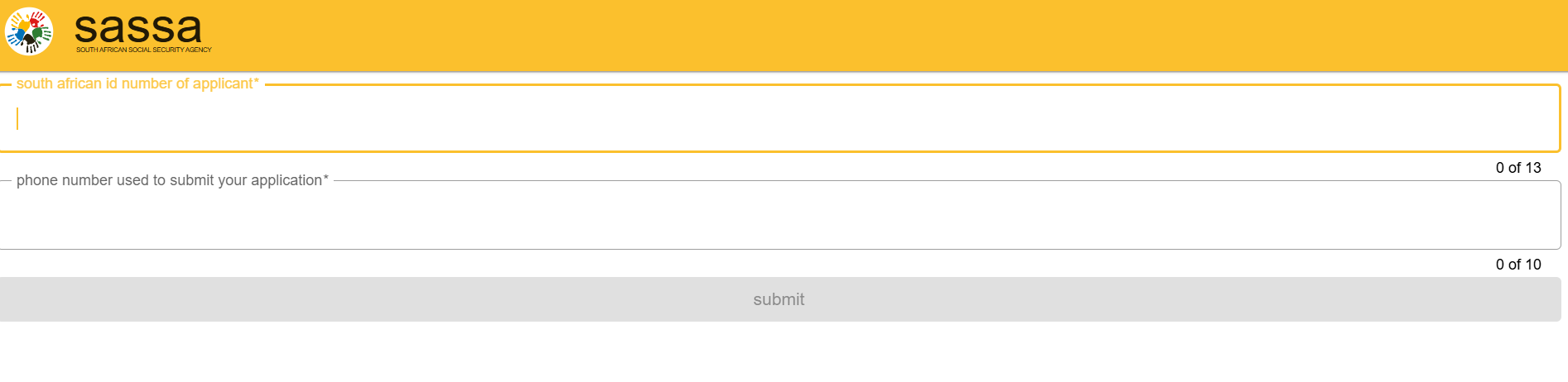
Enter:
- Your South African ID number.
- Your registered cellphone number.
Double-check that all information is correct before submitting.
Step 3: View Your Status
After submitting your information, your status will appear instantly.
Possible results include:

- Approved
- Pending
- Declined
- Banking Details Pending
- Referred
- Identity Verification Failed
- Reapplication Required
If approved, your payment date will usually be displayed.
Step 4: Understand Your Status
Explain each status individually:
Understanding your SASSA status is essential because it tells you exactly where your application is in the assessment process and whether you need to take any action.
- Approved: Your application has been successful. Check your payment date and ensure your banking details are correct.
- Pending: Your application is still being reviewed. Continue checking your status regularly while SASSA completes its verification process.
- Declined: Your application was not approved. Review the reason for the decline and submit an appeal within the allowed time if you believe the decision was incorrect.
- Banking Details Pending: Your application has been approved, but payment cannot be made until your banking details are provided or verified.
- Referred: SASSA has sent your application to another government department, such as the Department of Home Affairs, for additional verification. Wait for the process to be completed and monitor your status.
- Identity Verification Failed: The personal information you submitted does not match official records. Verify your ID details and correct any errors.
- Self-Exclusion Response Found: SASSA’s financial assessment indicates that you do not meet the income requirements for the grant. If you believe this is incorrect, you can submit an appeal.
- Reapplication Required: Your previous application is no longer active. You need to submit a new application to be considered for the current grant period.
By checking your SASSA status regularly, keeping your personal and banking information up to date, and responding promptly to any issues, you can avoid unnecessary delays and improve your chances of receiving your grant on time. Always use official SASSA channels to check your status and protect yourself from scams.
Step 5: Check Using Other Official Methods
SASSA provides several official ways to check your grant status, making it easy to stay informed whether you have internet access or not. You can check your status online through the official SASSA website, via WhatsApp, SMS, USSD, by calling the SASSA toll-free helpline, or by visiting your nearest SASSA office.
Each method allows you to confirm whether your application has been approved, is still pending, or requires further action. If you experience issues such as identity verification problems, incorrect banking details, or a declined application, contacting SASSA by phone or visiting a local office may provide the quickest resolution.
Whichever method you choose, always use official SASSA channels to protect your personal information and avoid scams. Regularly checking your status and keeping your contact and banking details up to date can help prevent payment delays and ensure you receive your grant on time.
Step 6: Know Your Payment Dates
| Month | Older Persons Grant | Disability Grant | Children’s Grants |
|---|---|---|---|
| April 2026 | 2 April 2026 | 7 April 2026 | 8 April 2026 |
| May 2026 | 5 May 2026 | 6 May 2026 | 7 May 2026 |
| June 2026 | 2 June 2026 | 3 June 2026 | 4 June 2026 |
| July 2026 | 2 July 2026 | 3 July 2026 | 6 July 2026 |
| August 2026 | 4 August 2026 | 5 August 2026 | 6 August 2026 |
| September 2026 | 2 September 2026 | 3 September 2026 | 4 September 2026 |
| October 2026 | 2 October 2026 | 5 October 2026 | 6 October 2026 |
| November 2026 | 3 November 2026 | 4 November 2026 | 5 November 2026 |
| December 2026 | 2 December 2026 | 3 December 2026 | 4 December 2026 |
| January 2027 | 5 January 2027 | 6 January 2027 | 7 January 2027 |
| February 2027 | 2 February 2027 | 3 February 2027 | 4 February 2027 |
| March 2027 | 2 March 2027 | 3 March 2027 | 4 March 2027 |
Step 7: Understand Grant Increases
SASSA reviews and adjusts social grant amounts each year to help beneficiaries keep pace with inflation and the rising cost of living. For the 2026/2027 financial year, several permanent grants, including the Older Persons Grant, Disability Grant, and Care Dependency Grant, received an increase to R2,400 per month. The SRD Grant remains R370 per month unless the government announces a future adjustment.
While these annual increases may vary by grant type, they provide important financial support to millions of South Africans who rely on social assistance. To stay informed about the latest grant amounts, payment updates, and eligibility requirements, always refer to official SASSA announcements and government communications.
My Experience and Practical Insights
One thing I have learned is that many people panic when they see a “Pending” status for several weeks. In most cases, this is a normal part of SASSA’s verification process and does not automatically mean your application will be declined.
I have also noticed that many beneficiaries wait until payday before checking their status. It is much better to check your status regularly throughout the month so you can identify problems early, such as incorrect banking details or identity verification issues.
Another practical tip is to save the official SASSA WhatsApp number and bookmark the official website. This makes checking your status much quicker whenever you need an update.
Finally, always rely on official SASSA communication. There are many fake websites and scammers pretending to help people with grant applications. If something seems suspicious, verify it directly with SASSA before sharing any personal information.
Common Mistakes to Avoid
Many application delays are caused by simple mistakes.
Avoid these common errors:
- Entering the wrong ID number.
- Using a cellphone number different from the one used during application.
- Waiting until payment day to check your status.
- Ignoring “Banking Details Pending.”
- Not updating your banking information after changing banks.
- Falling for fake SASSA websites.
- Sharing your banking PIN or passwords.
- Missing the appeal deadline after a declined application.
- Ignoring requests for identity verification.
Troubleshooting
The website won’t load
Try again early in the morning or late at night when traffic is lower.
My application is pending for months
Continue checking regularly.
If it has been pending for more than 90 days, contact SASSA or visit your nearest office.
My application was declined
Check the reason.
If you believe the decision is incorrect, submit an appeal within 30 days.
I haven’t received my payment
Check:
- Your payment date.
- Your banking details.
- Your approval status.
If everything is correct, contact SASSA.
I changed my cellphone number
Update your contact details with SASSA immediately.
Helpful Tips and Best Practices
- Check your status at least once every month.
- Save the official SASSA website in your browser.
- Keep your banking details up to date.
- Keep your cellphone number active.
- Never pay anyone to “speed up” your application.
- Regularly monitor your payment dates.
- Keep copies of all correspondence with SASSA.
- Appeal promptly if your application is declined.
- Complete life certification if required.
- Always use official SASSA communication channels.
Frequently Asked Questions
1. How often should I check my SASSA status?
At least once a month and more frequently during payment periods.
2. Can I check my status without internet?
Yes.
You can use:
- SMS
- USSD
- Toll-free phone
- SASSA offices
3. What does “Pending” mean?
It means SASSA is still verifying your information.
4. What does “Approved” mean?
Your application has been successful and payment has been scheduled.
5. What should I do if my application is declined?
Check the reason and submit an appeal if you believe the decision was incorrect.
6. What happens if I change banks?
Update your banking details immediately through SASSA.
7. Can I receive the SRD Grant if I receive a Child Support Grant?
Yes, provided you meet the SRD eligibility requirements.
8. How do I know when my money will be paid?
Your payment date appears once your application has been approved.
9. Is checking my SASSA status free?
Yes. Using official SASSA channels to check your status is free, although your mobile network may charge standard data or SMS rates where applicable.
10. How do I avoid SASSA scams?
Only use official SASSA websites, never share your banking PIN or passwords, and ignore anyone asking for payment to process your grant application.
Official Resources and References
For the latest information, always use official government sources:
- Official SASSA Website
- SASSA SRD Status Check Portal
- SASSA Services Portal
- Department of Social Development
- South African Government News Agency (SAnews)
Useful contact information:
- SASSA Toll-Free Call Centre: 0800 60 10 11
- Official WhatsApp: 082 046 8553
Conclusion
Checking your SASSA status regularly is one of the easiest ways to stay informed about your grant application or payment. Whether you receive the SRD R370 Grant, Older Persons Grant, Disability Grant, Child Support Grant, or another social grant, monitoring your status helps you identify problems early, avoid payment delays, and take action when necessary.
By following the steps in this guide, using official SASSA channels, and keeping your personal and banking details up to date, you can manage your grant with confidence. Remember to stay alert for scams, check your status regularly, and contact SASSA directly if you need assistance.
Disclaimer
This guide is intended for informational purposes only and is based on official SASSA information, government publications, expert guidance, and practical experience. Grant eligibility, payment dates, grant values, application procedures, and verification requirements may change without notice. Always refer to the official SASSA website, the Department of Social Development, or contact the SASSA Call Centre for the most accurate and up-to-date information before making decisions regarding your application or grant.

.
About Pheto M
Pheto M is the founder and guide writer of HowToGuide.co.za, a practical information website created to help people find clear, useful and easy-to-understand guidance on everyday topics.
Pheto started HowToGuide.co.za after noticing a common problem: people often need help with important questions, applications, services and everyday decisions, but the information available online can be confusing, difficult to understand or scattered across different sources.
Pheto has experience and knowledge across several areas, including Business, Information Technology (IT), Education and Relationships. These areas have given her a practical understanding of different challenges people face in their personal, professional and everyday lives.
Today, she dedicates her time to researching, writing and updating practical guides designed to help readers understand information and take the right steps with greater confidence.
Her approach is simple: make complex information simple, confusing processes clear, and difficult situations easier to manage.
Through HowToGuide.co.za, Pheto aims to provide practical, accessible and helpful information that readers can use in their everyday lives.
Pheto values feedback from readers and is committed to continually improving the content on HowToGuide.co.za. If you have a question, suggestion, or would like to get in touch, you can email her at admin@howtoguide.co.za. She personally reviews reader feedback and aims to respond within 48 hours.
How to Save Money from Your SASSA Grant Every Month (2026)
July 21, 2026
Reading Time: 6 minutesLiving on a SASSA grant makes saving feel impossible, but even small amounts add up. Discover 10 practical ways to save R20 to R100 each month, protect your money from temptation, and build an emergency safety net.
How to Reverse Money on Capitec: Step-by-Step (2026)
July 16, 2026
Reading Time: 6 minutesMade a payment mistake on the Capitec App? While there isn’t a simple “undo” button for EFTs or transfers, recovering your funds is still possible. Learn when a transaction can be reversed, how to initiate an urgent payment recall, and step-by-step methods to secure your money quickly.
How to Check Your SASSA Status Online (2026)
July 7, 2026
Reading Time: 7 minutesNeed to track your SASSA application or check your payment date? From using the official online portal to quick WhatsApp, SMS, and USSD code methods, this comprehensive, step-by-step guide breaks down how to check your SASSA status in 2026—including what your status message means and the latest 2026/2027 grant payment schedules.
How to Claim UIF in South Africa (2026): A Complete Step-by-Step Guide
July 6, 2026
Reading Time: 7 minutesLost your job and need financial relief? Follow our complete, step-by-step guide to claiming your UIF in South Africa online or in person for 2026.
How to Open and Use FNB eWallet on WhatsApp (2026)
July 3, 2026
Reading Time: 6 minutesWant to use your mobile wallet directly on chat? Discover how to use FNB eWallet on WhatsApp to easily send, receive, and withdraw money across South Africa. This step-by-step guide covers mandatory registration details, instant cash out at retailers, low transactional fees, and crucial security tips.
Thank you, very informative and useful information.
Thank you