
1. Introduction
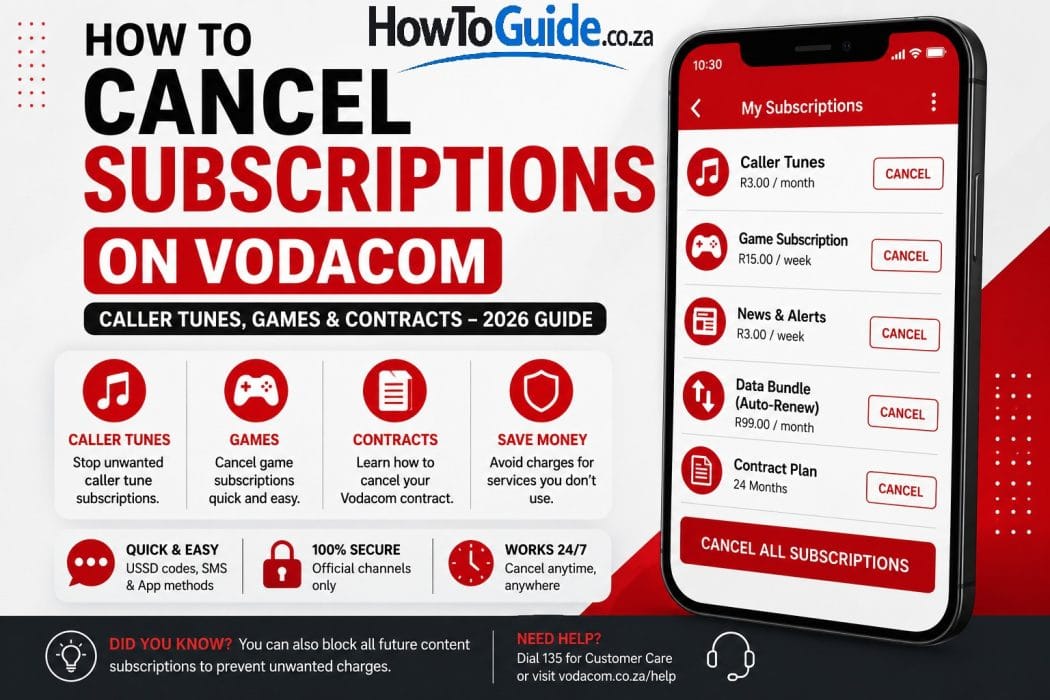
If you’ve ever checked your airtime balance or bank statement and noticed charges for services you don’t remember signing up for, you’re not alone. Many Vodacom customers discover they’re paying for caller tunes, games, news alerts, or other premium content services without realizing it.
Fortunately, cancelling unwanted Vodacom subscriptions is usually quick and straightforward when you know the correct USSD codes, SMS commands, and support channels.
This guide explains how to cancel content services (WASP subscriptions), caller tunes, recurring bundles, and even your Vodacom contract. You’ll also learn common mistakes to avoid, troubleshooting tips, and best practices to prevent unwanted subscriptions in the future.
2. Who This Guide Is For
This guide is intended for:
- Vodacom prepaid customers.
- Vodacom contract customers.
- Customers being charged for unwanted WASP services.
- Users who want to cancel caller tunes.
- Customers cancelling recurring data or voice bundles.
- Anyone planning to cancel their Vodacom contract.
3. Requirements
Before you begin, make sure you have:
- Your Vodacom cellphone with an active SIM card.
- Access to your Vodacom number.
- Sufficient network coverage.
- The My Vodacom App (optional).
- Your account information if cancelling a contract.
If you’re cancelling a contract, you’ll also need to be prepared to settle any applicable early termination fees.
4. Step-by-Step Guide
Method 1: Cancel All Content Services
This removes all active WASP subscriptions.
SMS Method
Send:
STOP ALL
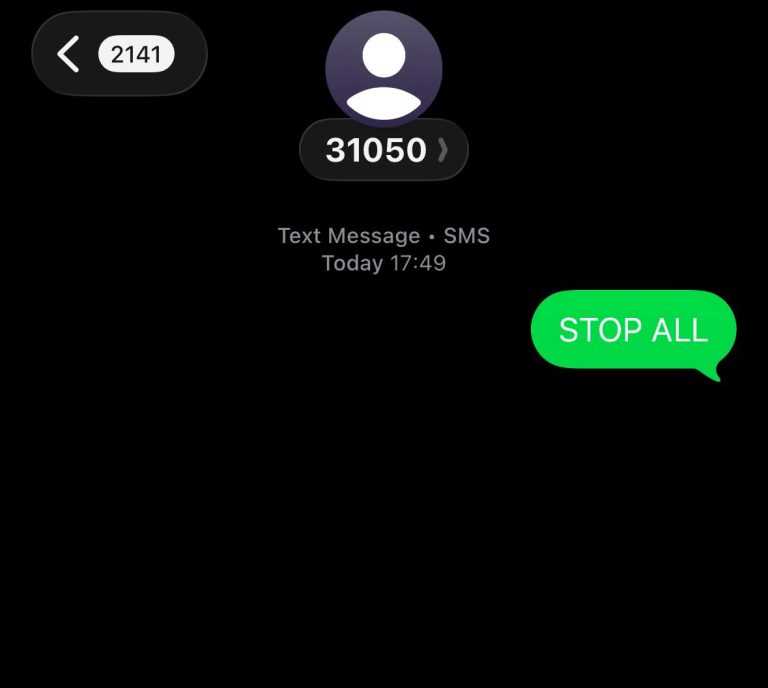
to:
31050
USSD Method
- Dial *135*997#
- Select Option 2 – Unsubscribe All
- Confirm your request.
Note: This cancels all content services linked to your number.
Method 2: Cancel One Specific Subscription
If you only want to cancel one subscription:
- Dial *135*997#
- Select Option 1 – View Active Subscriptions
- Choose the subscription.
- Reply STOP.
- Wait for the confirmation SMS.
Method 3: Cancel Caller Tunes
USSD
- Dial *117#
- Select Manage Caller Tunez
- Choose Deactivate
SMS
Send:
STOP
to:
1178
Alternatively, sending STOP ALL to 31050 will also remove caller tunes together with other content services.
Method 4: Cancel Recurring Bundles
USSD
Dial:
*135*997#
Follow the prompts to manage recurring bundles.
My Vodacom App
- Open the app.
- Select My Account.
- Open Manage Subscriptions.
- Cancel the recurring bundle.
Tip: Cancel recurring bundles at least three days before the renewal date to reduce the risk of another charge.
Method 5: Block Future WASP Subscriptions
To help prevent future unwanted subscriptions:
USSD
Dial:
*135*997#
Select the option to Block Future WASP Services.
Customer Care
Call:
135
Ask the consultant to place a block on future WASP subscriptions.
Method 6: Cancel a Vodacom Contract
To cancel your Vodacom contract:
- Call 082 1958.
- Request a cancellation quotation.
- Pay any outstanding cancellation fees if applicable.
- Submit any required documentation.
- Request written confirmation by SMS or email.
- Cancel the debit order with your bank after Vodacom confirms cancellation.
5. My Experience or Practical Insights
From my experience, many people only discover unwanted subscriptions after noticing unexplained deductions from their airtime or monthly bill. The quickest solution has usually been sending STOP ALL to 31050 or checking active subscriptions using *135*997#.
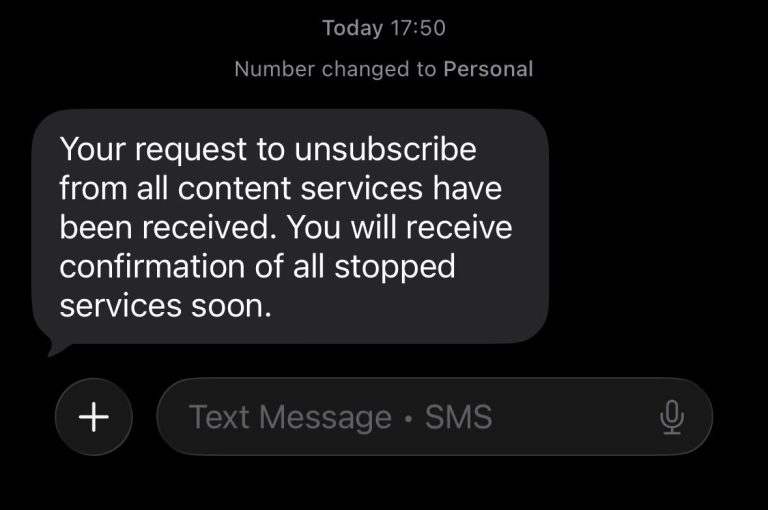
I’ve also found that it’s important to keep the SMS confirmation after cancelling and to check your next statement or airtime balance to ensure the charges have stopped. If you’re cancelling a Vodacom contract, always request written confirmation and don’t assume the cancellation is complete until you’ve received official confirmation from Vodacom.
6. Common Mistakes to Avoid
Avoid these common mistakes:
- Using STOP ALL when you only want to cancel one subscription.
- Assuming STOP ALL cancels your Vodacom contract.
- Forgetting to request written confirmation.
- Not checking whether charges have actually stopped.
- Forgetting to cancel debit orders after contract cancellation.
- Waiting until after a recurring bundle renews.
7. Troubleshooting
My subscription didn’t cancel.
Wait for the confirmation SMS. If you don’t receive one, dial *135*997# again or contact Vodacom Customer Care.
I’m still being charged.
Check whether another subscription is active.
Review all active services using *135*997#.
I can’t remember subscribing.
Some subscriptions may have been activated through third-party websites or advertisements.
Review your active subscriptions before cancelling them.
I cancelled my contract but my debit order continues.
Contact Vodacom immediately and verify your cancellation status.
If necessary, contact your bank after receiving Vodacom’s written confirmation.
I can’t access the My Vodacom App.
Use the USSD or SMS methods instead.
8. Helpful Tips and Best Practices
- Review your subscriptions regularly.
- Keep every cancellation confirmation SMS.
- Take screenshots of confirmations where possible.
- Cancel recurring bundles before their renewal date.
- Monitor your airtime and monthly statements.
- Block future WASP subscriptions if you don’t use premium services.
- Always request written confirmation when cancelling a contract.
9. Frequently Asked Questions
1. What’s the fastest way to cancel all Vodacom subscriptions?
Send STOP ALL to 31050.
2. Does STOP ALL cancel my Vodacom contract?
No.
It only cancels premium content and WASP services.
3. How do I cancel Caller Tunez?
Dial *117# and select Deactivate, or send STOP to 1178.
4. How do I cancel my Vodacom contract?
Call 082 1958, request a cancellation quote, complete the required process, and obtain written confirmation.
5. Can I cancel recurring bundles?
Yes.
Use *135*997# or the My Vodacom App.
6. How do I stop future premium subscriptions?
Dial *135*997# and activate the WASP block, or contact Vodacom Customer Care.
7. Will cancelling a subscription refund previous charges?
Generally, cancelling stops future charges but does not automatically refund previous payments. If you believe charges were incorrect, contact Vodacom or the relevant service provider to discuss your options.
10. Official Resources and References
For the latest information and customer support, use Vodacom’s official channels:
- Vodacom South Africa: https://www.vodacom.co.za
- My Vodacom App
- Vodacom Customer Care: Dial 135
- Vodacom Contract Cancellations: 082 1958
As USSD codes and subscription management options may change over time, always verify the latest information through Vodacom’s official support channels.
11. Conclusion
Cancelling unwanted Vodacom subscriptions is simple once you know the correct method. If you want to remove all premium content services, sending STOP ALL to 31050 is usually the fastest option. If you only want to cancel a specific subscription, use *135*997# to view and manage your active services.
When cancelling a Vodacom contract, always request written confirmation, keep copies of your correspondence, and verify that your debit orders have stopped. Taking these extra steps can help prevent unnecessary charges and ensure your cancellation is completed successfully.
12. Disclaimer
Disclaimer: This guide is provided for informational and educational purposes only. It is based on publicly available information, official Vodacom guidance, and practical experience. Vodacom may update its USSD codes, SMS numbers, subscription processes, or cancellation procedures at any time. Always confirm the latest information through Vodacom’s official website or customer support before making changes to your account.

.
About Pheto M
Pheto M is the founder and guide writer of HowToGuide.co.za, a practical information website created to help people find clear, useful and easy-to-understand guidance on everyday topics.
Pheto started HowToGuide.co.za after noticing a common problem: people often need help with important questions, applications, services and everyday decisions, but the information available online can be confusing, difficult to understand or scattered across different sources.
Pheto has experience and knowledge across several areas, including Business, Information Technology (IT), Education and Relationships. These areas have given her a practical understanding of different challenges people face in their personal, professional and everyday lives.
Today, she dedicates her time to researching, writing and updating practical guides designed to help readers understand information and take the right steps with greater confidence.
Her approach is simple: make complex information simple, confusing processes clear, and difficult situations easier to manage.
Through HowToGuide.co.za, Pheto aims to provide practical, accessible and helpful information that readers can use in their everyday lives.
Pheto values feedback from readers and is committed to continually improving the content on HowToGuide.co.za. If you have a question, suggestion, or would like to get in touch, you can email her at admin@howtoguide.co.za. She personally reviews reader feedback and aims to respond within 48 hours.
No results found.
.
About Pheto M
Pheto M is the founder and guide writer of HowToGuide.co.za, a practical information website created to help people find clear, useful and easy-to-understand guidance on everyday topics.
Pheto started HowToGuide.co.za after noticing a common problem: people often need help with important questions, applications, services and everyday decisions, but the information available online can be confusing, difficult to understand or scattered across different sources.
Pheto has experience and knowledge across several areas, including Business, Information Technology (IT), Education and Relationships. These areas have given her a practical understanding of different challenges people face in their personal, professional and everyday lives.
Today, she dedicates her time to researching, writing and updating practical guides designed to help readers understand information and take the right steps with greater confidence.
Her approach is simple: make complex information simple, confusing processes clear, and difficult situations easier to manage.
Through HowToGuide.co.za, Pheto aims to provide practical, accessible and helpful information that readers can use in their everyday lives.
Pheto values feedback from readers and is committed to continually improving the content on HowToGuide.co.za. If you have a question, suggestion, or would like to get in touch, you can email her at admin@howtoguide.co.za. She personally reviews reader feedback and aims to respond within 48 hours.
How to Check If Someone Is Trying to Hack Your WhatsApp: 2026
August 21, 2026
Reading Time: 10 minutesLearn how to check if someone is trying to hack your WhatsApp. Discover key warning signs, like unexpected verification codes and unfamiliar linked devices, and follow simple steps to secure your account.
How to Use SARS WhatsApp Tax Services in 2026: Step-by-Step Guide
August 8, 2026
Reading Time: 12 minutesLearn how to access SARS tax services on WhatsApp in 2026. Step-by-step guide to check tax numbers, refund status, auto-assessments, and submit documents.
How to Reverse an FNB eWallet Payment on the FNB App (2026)
August 4, 2026
Reading Time: 6 minutesLearn how to reverse an FNB eWallet payment step-by-step using the FNB App, check transaction status, and act fast before funds are redeemed.
How to Cancel a FOX One Subscription on Roku or Youtube (2026): Easy Step-by-Step Guide.
July 26, 2026
Reading Time: 5 minutesNeed to cancel your FOX One subscription? Whether you signed up through Roku, YouTube, or directly, learn the exact step-by-step process to cancel your account, avoid unwanted auto-renewals, and manage your billing hassle-free.
How to Cancel Vodacom Subscriptions (Caller Tunes, Games & Contracts – 2026 Guide)
July 20, 2026
Reading Time: 5 minutesCharged for unknown airtime services? Learn how to cancel subscriptions on Vodacom step-by-step—including WASP content, caller tunes, recurring data bundles, and full contracts
How to Recall an Email in Outlook (2026 Step-by-Step Guide)
July 20, 2026
Reading Time: 6 minutesNeed to unsend an email in Outlook? Here is a step-by-step guide on how to recall an email, when the feature actually works, and what to do if it fails.