
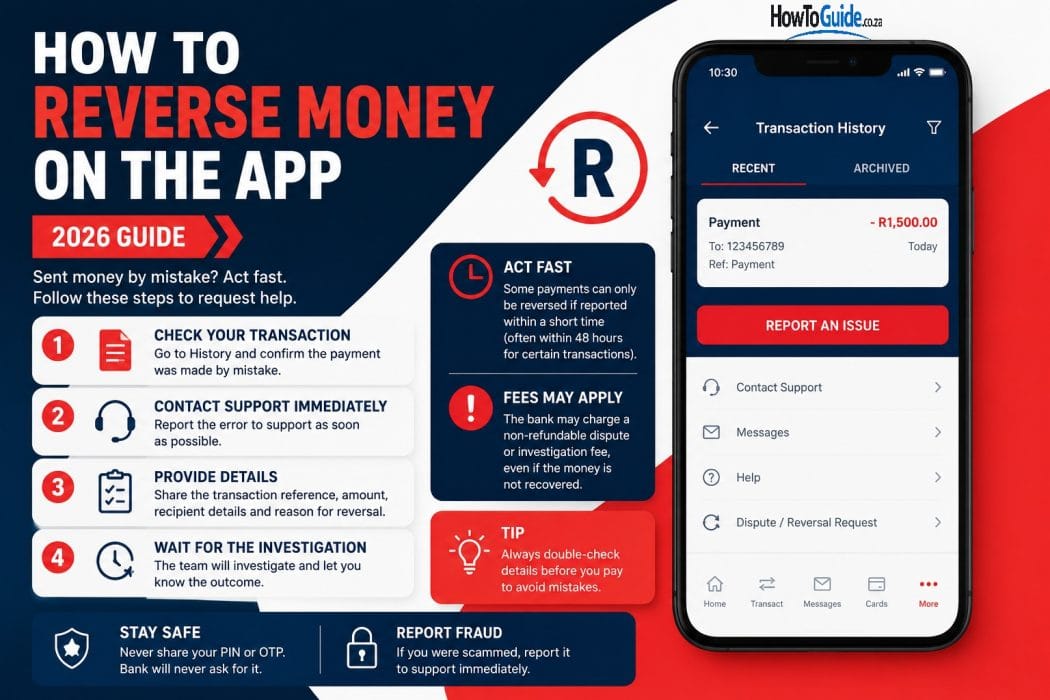
Introduction
Sending money using the Capitec App is quick, secure, and convenient. Whether you’re paying a friend, settling a bill, or transferring money between bank accounts, the process usually takes just a few minutes.
However, mistakes can happen. You might accidentally send money to the wrong account, enter an incorrect amount, or become the victim of a scam. Many people search online hoping there is a simple “Reverse Payment” button in the Capitec App.
Unfortunately, once an EFT or bank transfer has been completed, you cannot reverse it yourself through the app.
The good news is that you may still have options. This guide explains when a payment recall is possible, what information you’ll need, and the exact steps to follow to improve your chances of recovering your money.
Who This Guide Is For
This guide is suitable for:
- Capitec Bank clients
- Anyone who accidentally sent money to the wrong account
- Customers who transferred the incorrect amount
- Victims of online scams or payment fraud
- People wanting to understand how payment recalls work
- Anyone looking for accurate information before contacting Capitec
Requirements
Before contacting Capitec, gather the following information:
Required Information
- Date and time of the transaction
- Amount transferred
- Recipient’s name
- Recipient’s bank account number
- Payment reference
- Screenshot of the transaction (if available)
Additional Documents (Fraud Cases)
- SAPS case number or affidavit
- Copies of conversations with the scammer
- Any invoices or proof of payment
Having this information ready will help Capitec investigate your request more efficiently.
Step-by-Step Guide
Step 1: My Dashboard
Open the Capitec App.
Navigate to:
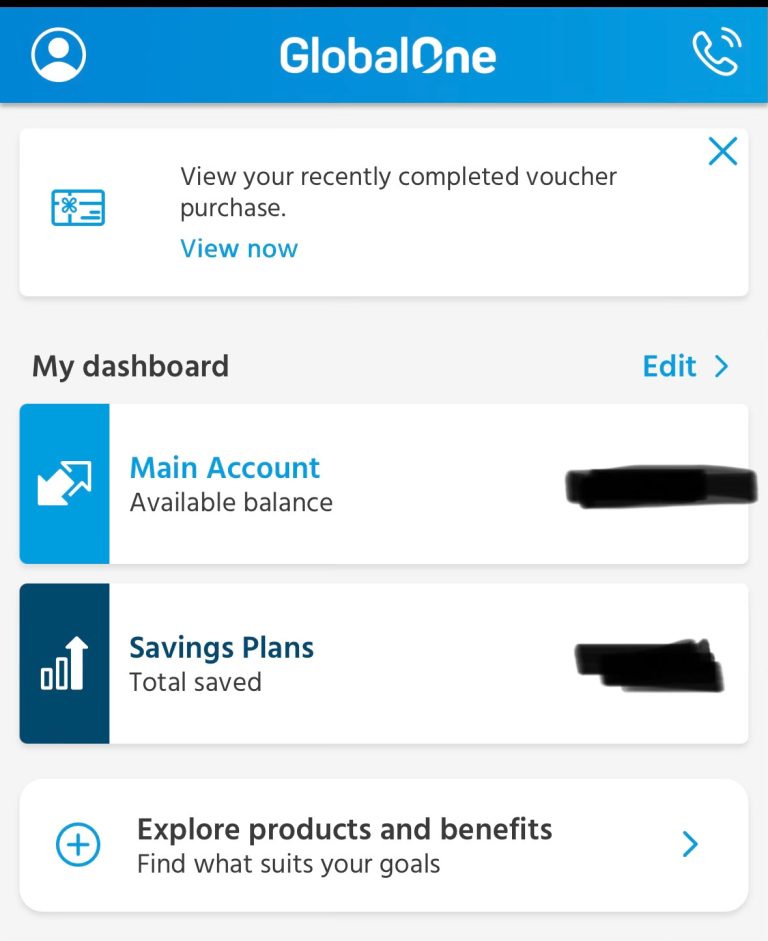
Choose Account → Click Account In question
Locate and click the payment you made by mistake on.
Step 2: Verify the Transaction
Confirm:
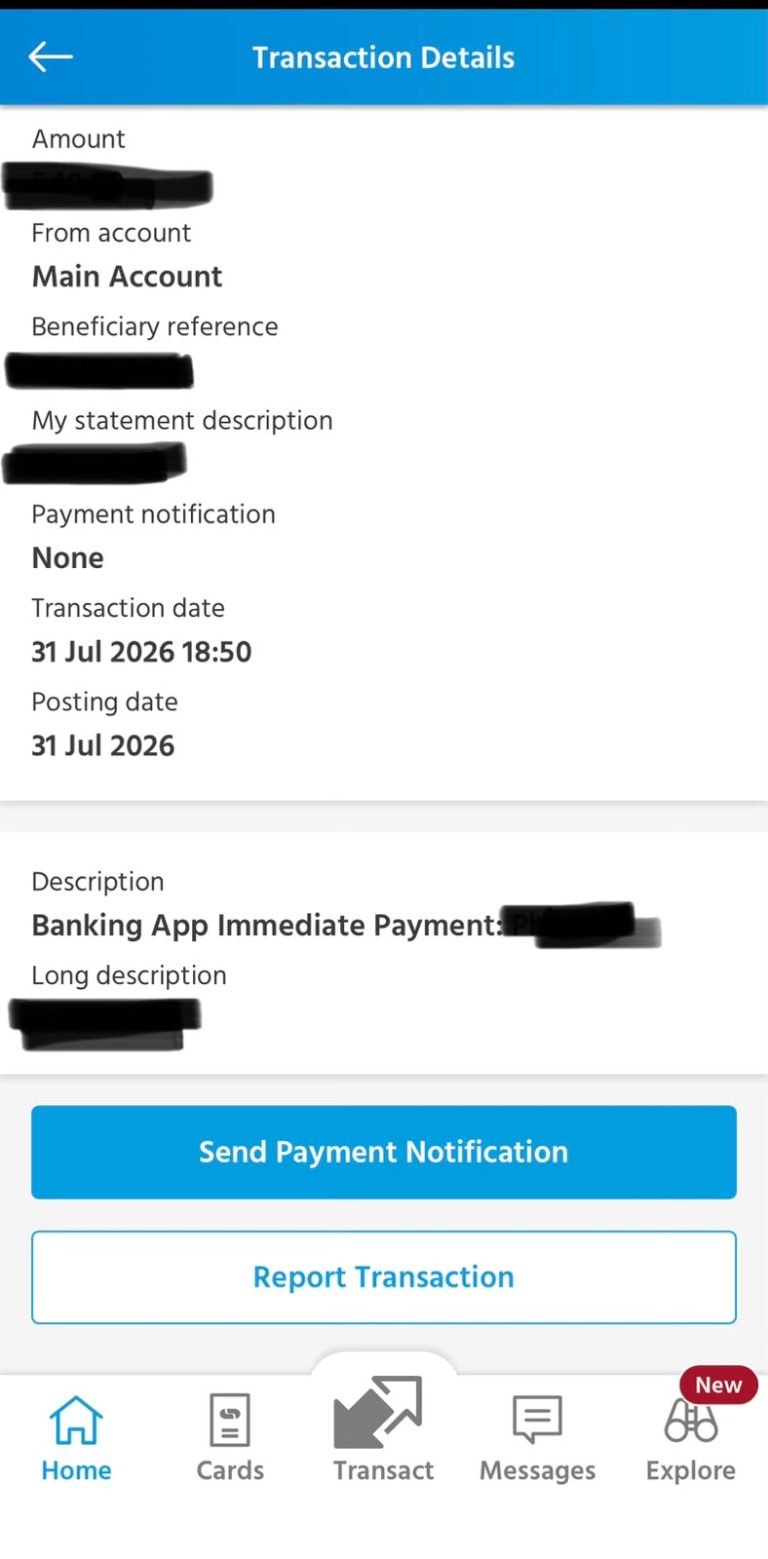
- Amount sent
- Recipient’s details
- Payment reference
- Transaction status
If the transaction is still pending, contact Capitec immediately.
Step 3: Contact the Recipient (If Possible)
If you know the recipient personally, ask them to return the money.
This is often the quickest and easiest solution.
Step 4: Contact Capitec Immediately
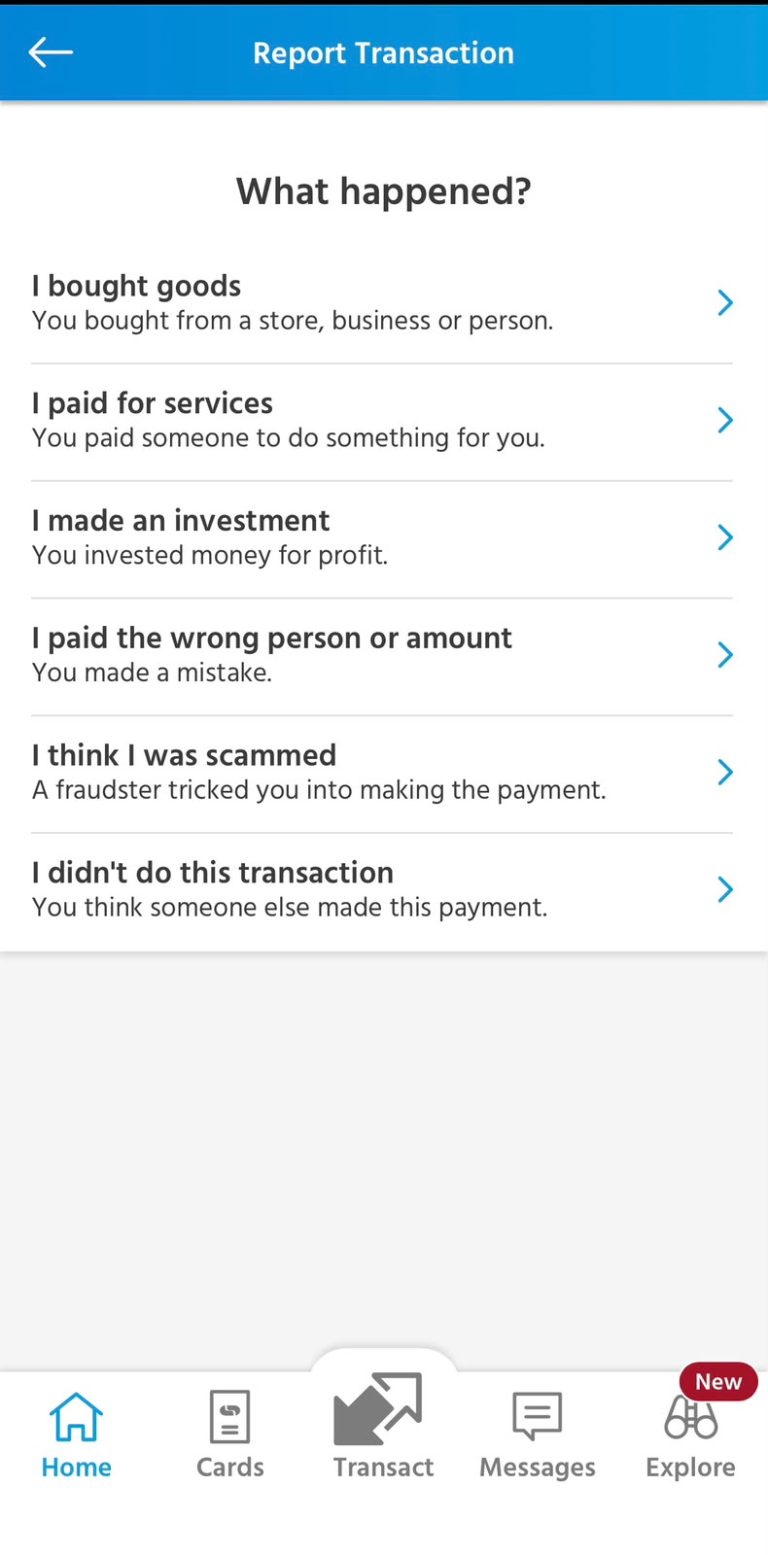
If you cannot recover the money directly, contact Capitec without delay.
You can contact them through:
- Telephone support
- WhatsApp support
- Secure banking channels available through Capitec
Explain that you would like to request a payment recall.
Step 5: Request a Payment Recall
A Capitec consultant will:
- Log your dispute
- Record the transaction details
- Contact the recipient’s bank
- Submit a payment recall request
Remember that this is not a guaranteed reversal.
The recipient’s bank usually needs permission from the account holder before the money can be returned.
Step 6: Save Your Reference Number
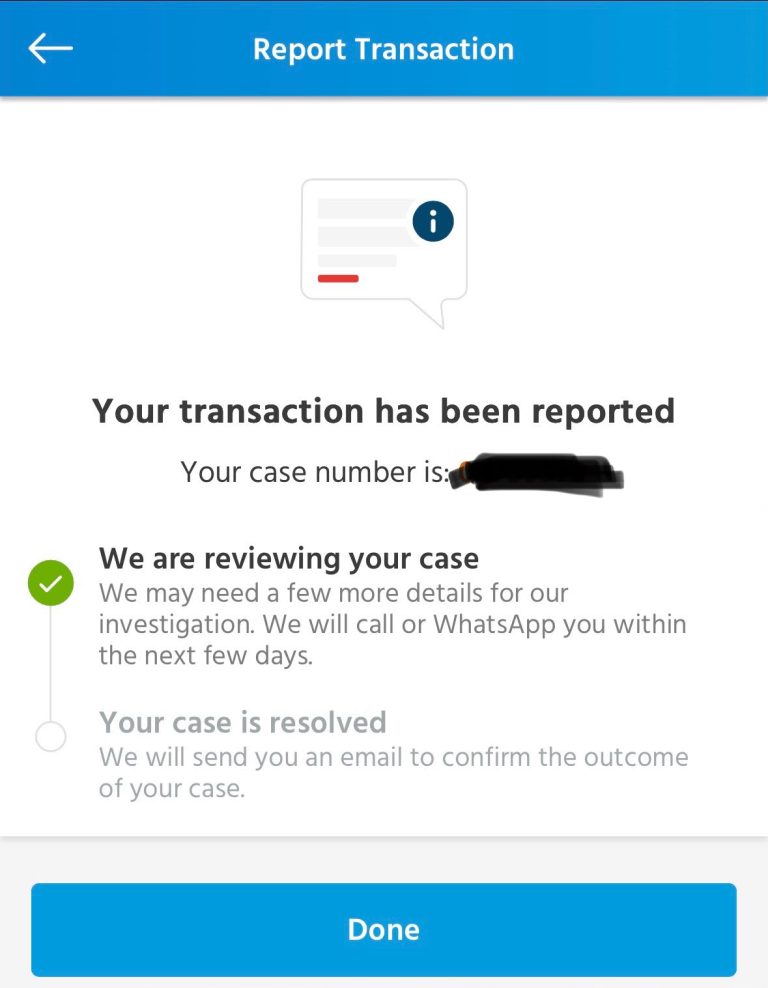
After reporting the issue, you will receive a case or reference number.
Keep this number safe.
You will need it when following up on the investigation.
My Experience and Practical Insights
From practical experience and research, the biggest factor affecting a successful payment recall is how quickly you report the mistake.
The sooner you contact Capitec after noticing the incorrect payment, the better your chances of recovering the funds. Waiting several days gives the recipient more time to withdraw or spend the money, making recovery much more difficult.
Another lesson is to always double-check the account number, recipient name, and amount before confirming any payment. Spending a few extra seconds reviewing the details can prevent a stressful and potentially costly mistake.
If you know the recipient, politely asking them to return the funds is often much faster than waiting for the formal banking process to be completed.
Common Mistakes to Avoid
Avoid these common errors:
- Waiting too long before reporting the mistake
- Assuming the Capitec App has a reverse payment button
- Entering the wrong account number
- Sending money without verifying the recipient’s details
- Ignoring confirmation screens before approving payments
- Sharing your banking PIN or login details
- Falling for scams promising instant payment recovery
Troubleshooting
I sent money to the wrong account
Contact Capitec immediately and request a payment recall.
The payment is still pending
Call Capitec as soon as possible. Some pending transactions may be stopped before they are fully processed.
I was scammed
Immediately:
- Contact Capitec
- Block any compromised banking access if instructed
- Report the incident to SAPS
- Keep screenshots and all communication with the scammer
Cash Send has not been collected
If the Cash Send has not yet been withdrawn, you may be able to withdraw it yourself using the reference number and PIN, or wait for it to expire according to Capitec’s terms and conditions.
My recall request was unsuccessful
Unfortunately, payment recalls are not guaranteed. If the recipient refuses to return the funds or the money has already been withdrawn, recovery may not be possible.
Helpful Tips and Best Practices
- Double-check account numbers before paying.
- Confirm the recipient’s name carefully.
- Save trusted beneficiaries for future payments.
- Never share your PIN or banking password.
- Report payment mistakes immediately.
- Keep screenshots of important transactions.
- Monitor your account regularly for suspicious activity.
- Be cautious of online scams and fake sellers.
These simple habits can significantly reduce the risk of sending money to the wrong person.
Frequently Asked Questions
1. Can I reverse money using the App?
No. Completed EFTs and bank transfers cannot be reversed through the app. You must request a payment recall through Capitec.
2. Can Capitec recover my money?
Possibly. Recovery depends on factors such as whether the funds are still available and whether the recipient agrees to return them.
3. What should I do if I paid the wrong person?
Contact Capitec immediately and, if possible, ask the recipient to return the money voluntarily.
4. Can I cancel a pending payment?
Some pending transactions may be stopped if reported quickly. Contact Capitec immediately.
5. Can Cash Send be cancelled?
There is no cancel button. If the cash has not been collected, you may be able to withdraw it yourself using the reference number and PIN or wait for the transaction to expire according to Capitec’s policies.
6. Are there fees for requesting a payment recall?
Fees may apply depending on the circumstances. Ask the Capitec consultant before the recall process begins.
7. How long does a payment recall take?
The investigation time varies depending on the recipient’s bank and the complexity of the case.
8. What happens if the recipient refuses to return the money?
Unfortunately, the recall request may fail because banks generally cannot remove money from someone’s account without the account holder’s consent or legal authority.
9. What should I do if I suspect fraud?
Report the incident to Capitec immediately, open a case with SAPS if necessary, and preserve all evidence related to the transaction.
Official Resources and References
For the latest information, visit the following official resources:
- Capitec Bank Customer Support
- Capitec Banking App Help Centre
- South African Police Service (SAPS)
- Payments Association of South Africa (PASA)
Always rely on official banking channels when dealing with payment disputes or fraud.
Conclusion
Although you cannot reverse a completed EFT or bank transfer directly through the Capitec App, acting quickly can improve your chances of recovering your money.
If you make a payment by mistake:
- Verify the transaction immediately.
- Contact the recipient if possible.
- Report the issue to Capitec without delay.
- Request a payment recall.
- Keep your case reference number for follow-up.
The best protection is prevention. Always review the recipient’s details, confirm the payment amount, and be cautious when sending money online. Taking a few extra moments before approving a transaction can save you from unnecessary stress and financial loss.
Disclaimer
This article is intended for general informational purposes only. It does not constitute financial, banking, or legal advice. Capitec Bank’s policies, payment recall procedures, and applicable fees may change over time. Always contact Capitec directly for advice regarding your specific transaction or dispute, and refer to the official Capitec website and banking channels for the most up-to-date information.

.
About Pheto M
Pheto M is the founder and guide writer of HowToGuide.co.za, a practical information website created to help people find clear, useful and easy-to-understand guidance on everyday topics.
Pheto started HowToGuide.co.za after noticing a common problem: people often need help with important questions, applications, services and everyday decisions, but the information available online can be confusing, difficult to understand or scattered across different sources.
Pheto has experience and knowledge across several areas, including Business, Information Technology (IT), Education and Relationships. These areas have given her a practical understanding of different challenges people face in their personal, professional and everyday lives.
Today, she dedicates her time to researching, writing and updating practical guides designed to help readers understand information and take the right steps with greater confidence.
Her approach is simple: make complex information simple, confusing processes clear, and difficult situations easier to manage.
Through HowToGuide.co.za, Pheto aims to provide practical, accessible and helpful information that readers can use in their everyday lives.
Pheto values feedback from readers and is committed to continually improving the content on HowToGuide.co.za. If you have a question, suggestion, or would like to get in touch, you can email her at admin@howtoguide.co.za. She personally reviews reader feedback and aims to respond within 48 hours.
How to Save Money from Your SASSA Grant Every Month (2026)
July 21, 2026
Reading Time: 6 minutesLiving on a SASSA grant makes saving feel impossible, but even small amounts add up. Discover 10 practical ways to save R20 to R100 each month, protect your money from temptation, and build an emergency safety net.
How to Reverse Money on Capitec: Step-by-Step (2026)
July 16, 2026
Reading Time: 6 minutesMade a payment mistake on the Capitec App? While there isn’t a simple “undo” button for EFTs or transfers, recovering your funds is still possible. Learn when a transaction can be reversed, how to initiate an urgent payment recall, and step-by-step methods to secure your money quickly.
How to Check Your SASSA Status Online (2026)
July 7, 2026
Reading Time: 7 minutesNeed to track your SASSA application or check your payment date? From using the official online portal to quick WhatsApp, SMS, and USSD code methods, this comprehensive, step-by-step guide breaks down how to check your SASSA status in 2026—including what your status message means and the latest 2026/2027 grant payment schedules.
How to Claim UIF in South Africa (2026): A Complete Step-by-Step Guide
July 6, 2026
Reading Time: 7 minutesLost your job and need financial relief? Follow our complete, step-by-step guide to claiming your UIF in South Africa online or in person for 2026.
How to Open and Use FNB eWallet on WhatsApp (2026)
July 3, 2026
Reading Time: 6 minutesWant to use your mobile wallet directly on chat? Discover how to use FNB eWallet on WhatsApp to easily send, receive, and withdraw money across South Africa. This step-by-step guide covers mandatory registration details, instant cash out at retailers, low transactional fees, and crucial security tips.